Introduction
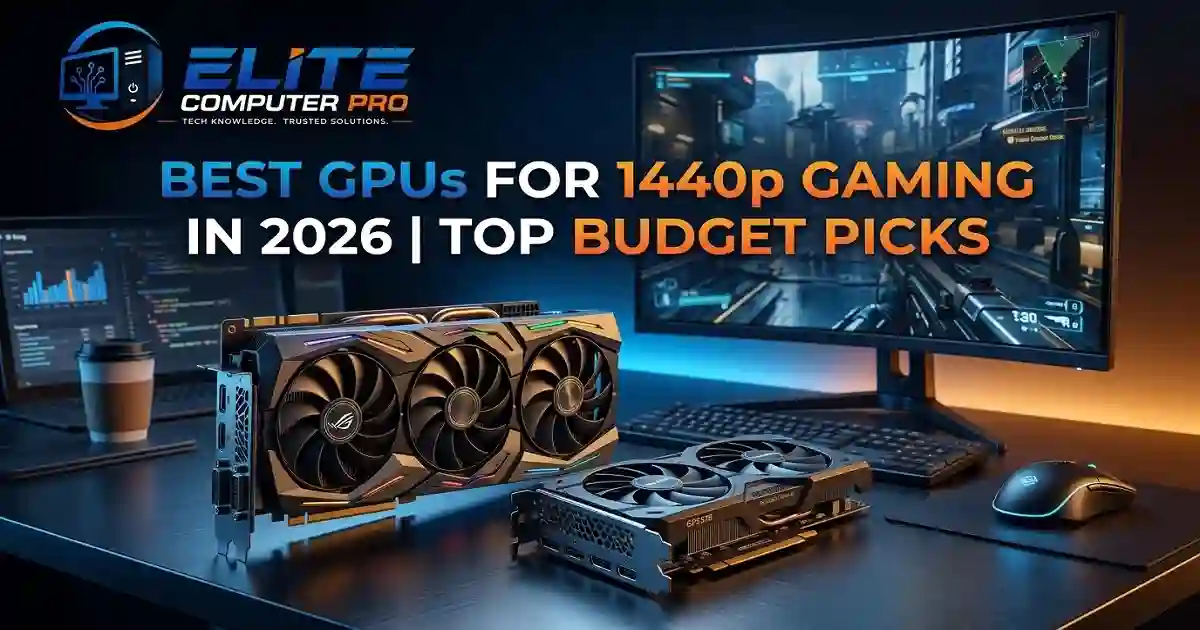
This guide explains the best GPUs for 1440p gaming. You will learn which graphics cards offer the best value, which ones handle ultra settings smoothly, and which options are worth buying for different budgets.
High refresh 1440p gaming has become the sweet spot for modern PC gamers. It delivers sharper visuals than 1080p while avoiding the heavy hardware demands of 4K gaming. Whether you enjoy competitive shooters, open world RPGs, racing simulators, or content creation, a good GPU can completely change your gaming experience.
The biggest challenge is choosing the right graphics card. New GPUs launch regularly, prices change quickly, and features like ray tracing, AI upscaling, and frame generation make comparisons more confusing than ever.
Table of Contents
Why 1440p Gaming Is So Popular in 2026
More gamers are moving to 1440p because monitors have become cheaper and GPUs are now powerful enough to handle higher resolutions comfortably.
Here’s why gamers prefer 1440p gaming:
- Sharper image quality than 1080p
- Better balance between performance and visuals
- Excellent for 144Hz and 165Hz monitors
- Great for competitive and AAA gaming
- Less demanding than 4K gaming
- Ideal for streaming and multitasking
A solid 1440p gaming setup can easily last several years if you choose the right GPU.
What Makes a GPU Good for 1440p Gaming?
Before buying a graphics card, it’s important to understand what actually matters.
VRAM Capacity
Modern games use more memory than ever. In 2026, 12GB VRAM is becoming the recommended minimum for smooth 1440p gaming at high settings. Games with detailed textures, ray tracing, and mods can quickly consume GPU memory.
Ray Tracing Performance
Ray tracing improves lighting, shadows, and reflections. Some GPUs handle ray tracing much better than others. If you want realistic visuals in games like Cyberpunk 2077 or Alan Wake 2, strong ray tracing support matters.
AI Upscaling Features
Technologies like:
- NVIDIA DLSS
- AMD FSR
- Intel XeSS
can boost FPS without reducing image quality too much. These tools are now extremely important for modern gaming.
Power Efficiency
A powerful GPU also needs proper cooling and power delivery. Efficient cards produce less heat and reduce electricity usage.
Future Proofing
Buying a GPU is an investment. Choosing slightly better hardware now can help you avoid upgrading again too soon.
>>>> Read Also <<<<
The 5 Best 4k Monitors of 2026
Best GPUs for 1440p Gaming in 2026
Here are the top choices based on performance, price, features, and overall value.
NVIDIA GeForce RTX 5070 Ti
The NVIDIA GeForce RTX 5070 Ti is one of the strongest choices for 1440p gaming in 2026. It offers excellent FPS, strong ray tracing performance, and advanced DLSS support.
Why Gamers Love It
- Smooth ultra settings performance
- Excellent ray tracing support
- DLSS Frame Generation boosts FPS
- Great streaming and creator features
- Strong future-proofing
Best For
- AAA gaming
- High refresh rate monitors
- Competitive esports
- Streaming setups
This GPU can comfortably push many modern games beyond 120 FPS at 1440p.
Best Mid Range GPU for 1440p Gaming
AMD Radeon RX 8800 XT
AMD Radeon RX 8800 XT continues to offer strong value in the mid-range market. The RX 8800 XT delivers impressive raw performance and larger VRAM compared to many competing cards.
Key Benefits
- Excellent price-to-performance ratio
- Large VRAM capacity
- Great rasterization performance
- Lower price than high-end NVIDIA cards
Ideal For
- Gamers upgrading from older GPUs
- Open-world gaming
- Budget-conscious builders
AMD’s FSR technology also helps improve performance in demanding games.
>>>> Read Also <<<<
Best Wireless Keyboards for Gaming, Work, and Everyday Use
Best Budget GPU for 1440p Gaming
Intel Arc B780
Intel has improved dramatically in the GPU market. The Intel Arc B780 is becoming a popular budget friendly option for gamers who want decent 1440p performance without overspending.
Advantages
- Affordable pricing
- Modern media engine
- Good AV1 encoding support
- Strong esports performance
Things to Know
Some older games may still need driver improvements, but Intel’s software support has improved significantly.
Best Premium GPU for Ultra 1440p Gaming
NVIDIA GeForce RTX 5080
If budget is not a concern, the NVIDIA GeForce RTX 5080 offers incredible performance for high refresh 1440p gaming with maximum settings.
Highlights
- Outstanding ray tracing
- DLSS 4 support
- Very high FPS in demanding games
- Excellent creator performance
This GPU is perfect for gamers who also edit videos, stream, or work with AI applications.
Best Value GPU for Long Term Use
AMD Radeon RX 8700 XT
The RX 8700 XT hits a nice balance between affordability and long term usability.
Why It Stands Out
- Strong VRAM capacity
- Great 1440p gaming performance
- Competitive pricing
- Reliable thermal performance
For gamers planning to keep a GPU for several years, this is a smart option.
Recommended GPU Based on Budget
Under $300
Good for medium-to-high settings:
- Intel Arc B780
- Older RTX 4060 Ti models
- AMD RX 7700 XT
$300 to $500
Best balance for most gamers:
- RX 8700 XT
- RTX 5070
- RX 8800 XT
$500 to $800
High-end gaming performance:
- RTX 5070 Ti
- RTX 5080
- RX 8900 XT
>>>> Read Also <<<<
Best Budget Gaming Laptops in 2026
How Much VRAM Do You Need for 1440p Gaming?
VRAM matters more in 2026 than ever before.
Recommended VRAM
| Gaming Type | Recommended VRAM |
|---|---|
| Esports Gaming | 8GB |
| Modern AAA Gaming | 12GB |
| Ultra Settings + Mods | 16GB |
| Future-Proof Gaming | 16GB+ |
Games with ultra textures and ray tracing can easily use more than 10GB VRAM.
DLSS vs FSR vs XeSS
These technologies improve FPS using AI upscaling.
NVIDIA DLSS
Best overall image quality and performance.
AMD FSR
Works on many GPUs and improves compatibility.
Intel XeSS
Surprisingly good image quality for supported games.
For gamers focused on maximum FPS, DLSS currently leads the market.
Real Gaming Experience Example
Last year, I upgraded from an older GTX-series GPU to an RTX 5070 Ti paired with a 1440p 165Hz monitor. Games like Call of Duty, Forza Horizon, and Cyberpunk immediately felt smoother and more responsive.
The biggest difference was not just graphics quality. Higher frame rates reduced input lag and made fast movement much clearer during gameplay.
That upgrade completely changed the experience, especially in competitive games.
Best CPU Pairings for 1440p GPUs
A strong GPU also needs a balanced processor.
Recommended CPUs
Budget Gaming
- AMD Ryzen 5 9600X
- Intel Core i5-15600K
Mid-Range Gaming
- AMD Ryzen 7 9800X
- Intel Core i7-15700K
High-End Gaming
- AMD Ryzen 9 series
- Intel Core Ultra 9 processors
Avoid pairing expensive GPUs with weak CPUs because bottlenecks can reduce performance.
Step-by-Step Guide to Choose the Right 1440p GPU
Step 1: Decide Your Budget
Set a realistic budget first.
Example
- Entry-level: Under $300
- Mid-range: $300–$500
- Premium: $500+
Step 2: Check Your Power Supply
Modern GPUs need enough power.
Recommended PSU
- Mid-range GPUs: 650W
- High-end GPUs: 750W–850W
Step 3: Measure Your PC Case
Some GPUs are extremely large in 2026.
Always check:
- GPU length
- Cooling clearance
- Airflow space
Step 4: Choose Your Gaming Style
Different gamers need different GPUs.
Competitive Gamers
Focus on:
- High FPS
- Low latency
Story-Based Gamers
Focus on:
- Visual quality
- Ray tracing
- Texture detail
Step 5: Compare Features
Check:
- VRAM
- Ray tracing
- DLSS or FSR support
- Cooling system
- Warranty
Common Mistakes When Buying a GPU
Avoid these common errors:
Buying Only Based on Brand
Not every NVIDIA or AMD card performs the same.
Ignoring VRAM
Low VRAM may hurt future performance.
Weak Power Supply
An underpowered PSU can cause crashes.
Overpaying for Features You Won’t Use
Some users do not need expensive 4K-focused GPUs.
Best Monitors for 1440p Gaming
A good monitor completes the gaming setup.
Recommended Features
- 144Hz or 165Hz refresh rate
- IPS panel
- Adaptive Sync
- Low response time
Popular monitor brands include:
- ASUS
- MSI
- LG
- Gigabyte
- Samsung
Is 1440p Better Than 1080p?
For most gamers, yes.
1440p Advantages
- Sharper visuals
- Better immersion
- More screen space
- Improved detail quality
1080p Advantages
- Higher FPS on weaker GPUs
- Lower hardware costs
If your budget allows it, 1440p is usually the better long-term choice.
Is 4K Gaming Worth It Instead?
4K looks amazing but requires much stronger hardware.
For most users:
- 1440p offers better value
- Higher FPS is easier to achieve
- GPU costs remain lower
Many gamers still prefer 1440p because it balances performance and visuals so well.
Frequently Asked Questions
What is the best GPU for 1440p gaming in 2026?
The RTX 5070 Ti is one of the best overall choices because it offers excellent FPS, strong ray tracing, and DLSS support.
How much VRAM is enough for 1440p gaming?
12GB VRAM is recommended for modern AAA gaming in 2026. For future-proofing, 16GB is even better.
Is RTX or Radeon better for 1440p gaming?
RTX GPUs usually perform better in ray tracing and AI upscaling, while Radeon cards often offer better raw value and more VRAM.
Can budget GPUs handle 1440p gaming?
Yes. Budget GPUs can run many games at 1440p using medium or high settings, especially with FSR or DLSS enabled.
Is ray tracing important for 1440p gaming?
Ray tracing improves lighting and reflections, but it is optional. Competitive gamers often disable it for higher FPS.
Which GPU brand is most reliable?
Major brands like ASUS, MSI, Gigabyte, Sapphire, and Zotac are all widely trusted for gaming GPUs.
Should I buy a GPU now or wait?
If your current GPU struggles with modern games, upgrading now makes sense. Waiting may bring new models, but prices can also remain unpredictable.
Final Summary on Best GPUs for 1440p Gaming
Choosing the best GPU for 1440p gaming in 2026 depends on your budget, gaming style, and long term goals. Some Game players want maximum FPS for esports titles, while others prefer cinematic visuals and ray tracing.
For most gamers, the RTX 5070 Ti offers the best overall experience. AMD cards remain excellent for value focused buyers, while Intel continues improving its budget gaming options.
Before buying, focus on:
- VRAM capacity
- Real gaming performance
- Power requirements
- Future-proof features
- Monitor compatibility
Related: