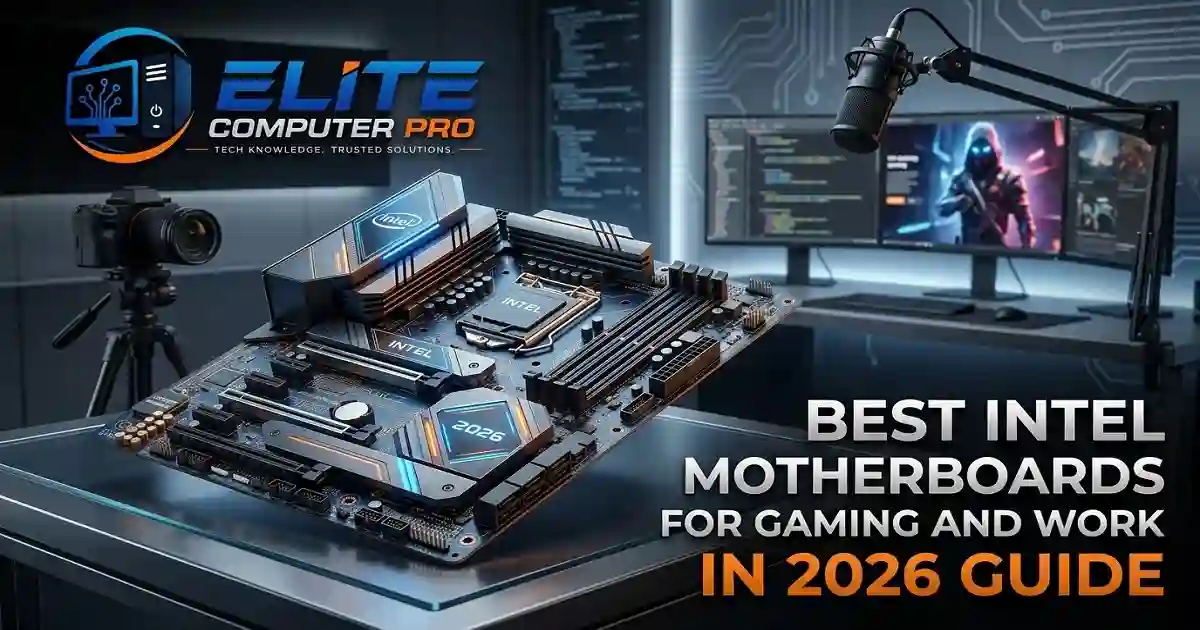
Best Intel Motherboards in 2026
Building a PC is exciting, but choosing the wrong motherboard can create problems later. Many people focus only on the processor or graphics card and ignore the motherboard. That mistake can affect gaming performance, upgrade options, cooling, and overall system stability. The motherboard is the backbone of your computer. It connects all major components including:
- Processor
- RAM
- Graphics card
- SSD
- Cooling system
- Power supply
If you are planning to build or upgrade an Intel PC in 2026, this guide will help you choose the best motherboard for Intel processors based on your needs and budget.
Whether you are:
- A gamer
- Video editor
- Content creator
- Student
- Freelancer
- Office user
you will find the right motherboard options here. This article also explains:
- Intel motherboard chipsets
- DDR5 support
- PCIe Gen 5
- WiFi features
- Gaming performance
- Budget recommendations
- Common buying mistakes
Table of Contents
Why the Motherboard Matters in a PC Build
A motherboard is more than just a board with ports. It controls communication between hardware components and determines how powerful and upgradeable your system can become. A good motherboard helps with:
- Stable performance
- Better cooling
- Faster storage support
- High speed RAM compatibility
- Future upgrades
- Better gaming experience
A weak motherboard can limit the performance of even expensive Intel processors.
>>>> Read Also <<<<
Improve PC Performance in Windows
Understanding Intel Motherboard Chipsets
Before buying a motherboard, it is important to understand Intel chipsets. The chipset decides:
- Supported CPU generation
- Overclocking support
- Connectivity options
- USB ports
- PCIe lanes
- RAM compatibility
Popular Intel Chipsets in 2026
Z790 and Z890
Best for:
- Gaming PCs
- High performance users
- Overclocking enthusiasts
These chipsets support premium features like:
- DDR5 RAM
- PCIe 5.0
- Advanced cooling
- Faster storage
B760
Best for:
- Mid range builds
- Students
- Everyday users
B760 motherboards provide strong value without extremely high pricing.
H610
Best for:
- Entry level users
- Office PCs
- Basic home systems
These boards are affordable but have fewer premium features.
>>>> Read Also <<<<
Top 10 Fast Charging Phones in 2026 Guide
Best Motherboards for Intel Processors in 2026
1. ASUS ROG Strix Z790-E Gaming WiFi
Key Features
- Supports Intel 14th Gen processors
- DDR5 RAM support
- PCIe 5.0 support
- WiFi 6E
- Excellent VRM cooling
Why It Is Popular
This motherboard is built for gamers and high performance users. It handles heavy gaming, streaming, and multitasking smoothly.
Best For
- Gaming PCs
- Streaming setups
- High end Intel builds
2. MSI MPG Z790 Carbon WiFi
6
Key Features
- Premium thermal design
- DDR5 memory support
- High speed connectivity
- Multiple M.2 SSD slots
Performance Benefits
This motherboard offers strong stability for:
- Video editing
- Gaming
- Heavy workloads
Best For
Professional creators and advanced gamers.
3. Gigabyte Z790 AORUS Elite AX
6
Key Features
- PCIe 5.0 support
- Strong VRM design
- WiFi connectivity
- Excellent cooling system
Why Buyers Like It
It balances price and performance very well.
Best For
Users wanting premium features without overspending.
4. ASUS TUF Gaming B760-PLUS WiFi
Key Features
- Durable design
- DDR5 support
- Reliable power delivery
- Affordable gaming option
Why It Is Worth Buying
The ASUS TUF series is known for reliability and stable long term performance.
Best For
Budget gaming PCs.
5. MSI MAG B760 Tomahawk WiFi
Key Features
- Strong thermal performance
- Easy BIOS interface
- WiFi support
- Multiple USB ports
Practical Advantage
Many beginners prefer this board because BIOS settings are simple and user-friendly.
Best For
First-time PC builders.
6. ASRock Z790 Steel Legend WiFi
Key Features
- Stylish white design
- Good cooling system
- PCIe 5.0 support
- Fast storage compatibility
Best For
White themed gaming PC builds.
7. Gigabyte B760M DS3H DDR4
Key Features
- DDR4 memory support
- Affordable pricing
- Stable performance
- Compact Micro-ATX design
Why It Is a Smart Budget Choice
Not everyone needs expensive DDR5 RAM. This board helps users save money while still getting good performance.
Best For
Budget office and gaming systems.
8. ASUS Prime H610M-E
Key Features
- Affordable entry level option
- Compact design
- Stable daily performance
- Good for home PCs
Best For
Students and office users.
9. MSI PRO Z790-A WiFi
Key Features
- Professional design
- Strong power phases
- DDR5 support
- Stable multitasking
Why Professionals Prefer It
This motherboard performs very well for:
- Adobe Premiere Pro
- Blender
- AutoCAD
- Rendering software
Best For
Content creators and workstation users.
10. NZXT N7 Z790
Key Features
- Premium appearance
- Excellent cable management
- WiFi support
- Clean design
Why It Stands Out
This motherboard is popular among users building aesthetically clean gaming setups.
Best For
Custom RGB gaming PCs.
DDR4 vs DDR5 Which One Should You Choose?
Many Intel motherboards now support DDR5 RAM, but DDR4 is still widely used.
DDR4 Advantages
- Cheaper
- Good gaming performance
- Easily available
DDR5 Advantages
- Faster speed
- Better future support
- Improved multitasking
Best Recommendation
If your budget allows, choose DDR5 for better future upgrades. If you want to save money, DDR4 still performs very well in gaming and daily tasks.
How To Choose the Best Intel Motherboard
Step 1: Check CPU Compatibility
Always confirm the motherboard supports your Intel processor generation. Examples:
- Intel 12th Gen
- Intel 13th Gen
- Intel 14th Gen
Step 2: Decide Your Budget
Budget categories:
- Entry level
- Mid range
- Premium
Do not overspend on features you may never use.
Step 3: Choose the Right Form Factor
ATX
Best for full gaming builds.
Micro-ATX
Smaller and more affordable.
Mini-ITX
Compact systems with limited expansion.
Step 4: Look at Cooling Features
Good VRM cooling improves:
- Stability
- Gaming performance
- Processor efficiency
This becomes important for high end Intel CPUs.
Step 5: Check Future Upgrade Support
Choose boards with:
- PCIe 5.0
- DDR5 support
- Multiple SSD slots
- USB-C ports
Best Motherboards for Different Users
Best for Gaming
- ASUS ROG Strix Z790-E
- MSI MPG Z790 Carbon
- Gigabyte AORUS Elite
Best Budget Motherboards
- ASUS Prime H610M-E
- Gigabyte B760M DS3H
Best for Content Creators
- MSI PRO Z790-A
- ASUS ROG Strix Z790-E
Best for Beginners
- MSI MAG B760 Tomahawk
- ASUS TUF Gaming B760
Common Motherboard Buying Mistakes
Ignoring BIOS Compatibility
Some motherboards may require BIOS updates for newer Intel processors. Always verify compatibility before purchase.
Buying Unnecessary Features
Many users pay extra for:
- Extreme RGB
- Overclocking tools
- Extra PCIe slots
that they never actually use.
Choosing Weak Power Delivery
Cheap VRMs can cause:
- Overheating
- Performance throttling
- System instability
Real Experience From a PC Builder
A freelance video editor upgraded from an older H-series motherboard to an MSI Z790 motherboard for Intel Core i7 processing tasks. The result:
- Faster rendering
- Better cooling
- Stable multitasking
- Improved SSD speeds
The upgrade significantly improved editing performance in Adobe Premiere Pro without changing the graphics card. This shows how important the motherboard can be in real world usage.
Helpful Tools for PC Builders
CPU-Z
Used for checking:
- Processor details
- RAM speed
- Motherboard information
HWMonitor
Helps monitor:
- CPU temperature
- Fan speed
- Voltage
MSI Afterburner
Useful for gaming performance monitoring.
PCPartPicker
Helps verify compatibility between PC components.
Voice Search Friendly Questions
Modern users often search using voice assistants. Examples include:
- “Which Intel motherboard is best for gaming?”
- “Best DDR5 motherboard for Intel?”
- “Which motherboard supports Intel 14th Gen?”
- “Best budget Intel motherboard in 2026?”
This article naturally answers these search queries for better AEO optimization.
FAQ Best Motherboards for Intel Processors
Which motherboard is best for Intel gaming PCs?
The ASUS ROG Strix Z790-E Gaming WiFi is one of the best choices for gaming and high-performance Intel systems.
Is DDR5 worth buying in 2026?
Yes, DDR5 provides better speed, multitasking, and future upgrade support compared to DDR4.
Which motherboard is best for budget Intel builds?
The ASUS Prime H610M-E and Gigabyte B760M DS3H are excellent budget-friendly options.
Do all Intel motherboards support overclocking?
No. Usually Z-series motherboards support CPU overclocking.
What is the difference between B760 and Z790?
Z790 offers more premium features, overclocking support, and advanced connectivity compared to B760.
Which motherboard size is best for gaming?
ATX motherboards are generally best for gaming because they offer better expansion and cooling support.
Actionable Tips Before Buying
- Compare motherboard reviews online
- Check VRM cooling quality
- Verify CPU compatibility
- Confirm RAM support
- Choose trusted brands
- Plan future upgrades before purchasing
Quick Summary
Choosing the right motherboard is one of the most important decisions in a PC build. A good motherboard improves stability, gaming performance, upgrade flexibility, and overall user experience. Whether you need:
- A budget office PC
- A powerful gaming machine
- A creator workstation
- A future ready DDR5 setup
there are excellent Intel motherboard options available in 2026.
Focus on:
- Your actual usage
- Compatibility
- Cooling
- Upgrade potential
- Long term value
instead of only flashy marketing features.
Related: