Introduction
This guide explains everything you need to know about the best antivirus software for Windows. You will learn how antivirus programs work, what features matter most, how to choose the right option, and practical steps to improve your PC security.
A Windows computer stores almost everything important in daily life. Personal photos, banking details, office files, passwords, emails, and online accounts all live inside one device. That is why protecting a computer is no longer optional. Cyber threats continue to grow every year. Viruses, ransomware, phishing attacks, spyware, and fake apps target millions of users worldwide. Even careful internet users can accidentally click a harmful link or download an infected file.
The good news is that, there are reliable antivirus software can reduce these attacks / risks and keep your system more secure. Modern antivirus tools do much more than remove viruses. They protect your privacy, block suspicious websites, stop malware attacks, and improve device safety while browsing online.
Table of Contents
What Is Antivirus Software?
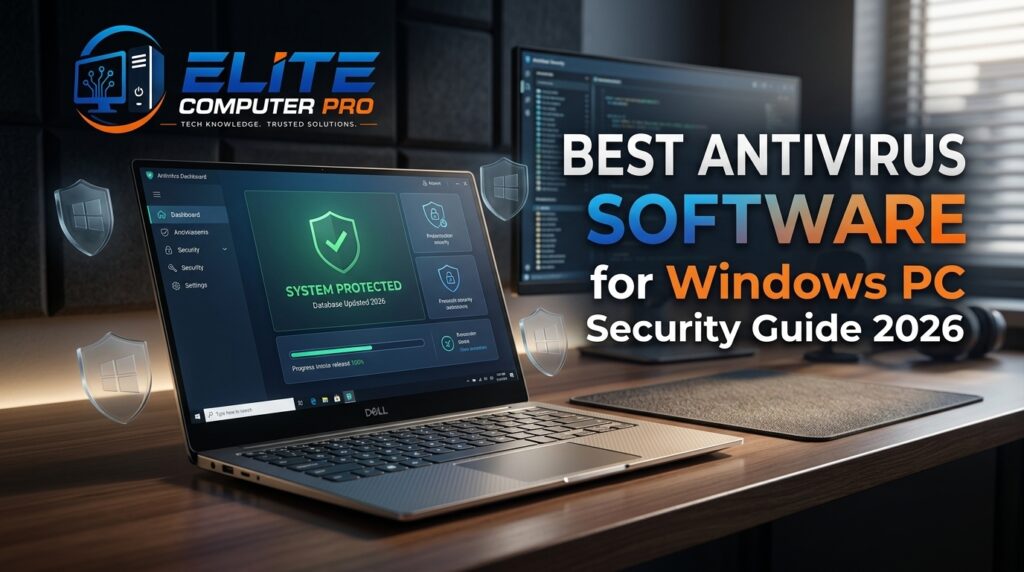
Antivirus software is a security program for computer, is designed to detect, block, and remove harmful files or suspicious activity from your computer.
These threats may include:
- Viruses
- Malware
- Spyware
- Ransomware
- Trojans
- Phishing attacks
- Keyloggers
- Fake software downloads
Without protection, malicious software can damage your files, slow down your computer, steal personal information, or even lock your device completely. Current antivirus software constantly monitors your system in real time. It scans files, checks downloads, watches online activity, and warns users before dangerous content can cause damage.
Why Windows PCs Need Antivirus Protection
Windows remains one of the most widely used operating systems in the world. Because of its popularity, cybercriminals often target Windows devices. The Hackers create malicious software specifically designed for Windows systems. This means users need strong protection to stay safe while:
- Browsing websites
- Downloading files
- Using email
- Shopping online
- Playing games
- Working remotely
- Using USB drives
- Installing apps
Even trusted websites can sometimes become compromised. Antivirus software acts like a security guard that continuously checks for threats before they harm your computer.
Main Features of the Best Antivirus Software for Windows
Not all antivirus programs offer the same protection. The best antivirus software for Windows usually includes several advanced features.
Real Time Threat Protection
Real time protection continuously scans files and programs while you use your computer. It helps stop threats instantly before they infect / damage your system.
Benefits:
- Blocks harmful downloads
- Detects suspicious activity
- Prevents malware installation
- Improves browsing safety
Ransomware Protection
Ransomware is one of the most dangerous cyber threats today. It locks files and demands money to restore access.
Good antivirus software can:
- Detect ransomware behavior
- Stop encryption attempts
- Protect important folders
- Create backup protection
Firewall Security
A firewall monitors internet traffic entering and leaving your device.
It helps:
- Block unauthorized access
- Prevent hacking attempts
- Improve network security
- Protect home Wi-Fi connections
Web Protection
Many cyber attacks start from online. Web protection features can:
- Warn about dangerous websites
- Block phishing pages
- Prevent fake downloads
- Scan browser activity
Password Protection
Some antivirus programs include password managers. These tools help users:
- Create strong passwords
- Store login details securely
- Prevent password theft
- Improve account safety
Performance Optimization
Good antivirus software should protect your PC without slowing it down.
Many tools now include:
- Junk file cleanup
- Startup optimization
- Background performance management
- Battery saving features
How Antivirus Software Works
Antivirus software uses multiple methods to identify threats.
Signature Based Detection
The antivirus compares files against a large database of known malware signatures. If a match is found, the file is blocked or removed.
Behavioral Analysis
Modern threats change quickly. Behavioral analysis monitors suspicious actions instead of relying only on known virus software.
For example:
- Unusual file encryption
- Unauthorized access attempts
- Hidden background activity
This helps detect newer threats.
Cloud Based Protection
Some antivirus tools use cloud technology to analyze files online.
Advantages include:
- Faster updates
- Better detection rates
- Lower system usage
- Improved threat intelligence
Best Antivirus Software Features to Look For
Choosing antivirus software can feel confusing because many products offer similar promises.
Focus on features that truly matter.
Essential Features Checklist
Choose antivirus software with:
- Real time protection
- Frequent security updates
- Malware removal tools
- Ransomware defense
- Web protection
- Firewall support
- Low system impact
- Easy-to-use dashboard
- Multi device support
Free vs Paid Antivirus Software
Many users ask whether free antivirus software is enough. The answer depends on your needs.
Free Antivirus Software
Free versions usually include basic protection.
Good For:
- Casual browsing
- Basic malware scanning
- Simple home use
Limitations:
- Fewer advanced features
- Limited ransomware protection
- No VPN in many cases
- Fewer privacy tools
Paid Antivirus Software
Paid antivirus tools offer stronger security and additional features.
Benefits:
- Better threat detection
- Advanced ransomware defense
- Password managers
- VPN services
- Identity monitoring
- Customer support
For people handling sensitive files or online banking, premium protection is often worth considering.
Step-by-Step Guide to Choosing the Right Antivirus Software
Step 1: Identify Your Needs
If your requirements are:
- Do you use online banking?
- Do children use the device?
- Do you work remotely?
- Do you store sensitive files?
Your answers help determine the level of protection needed.
Step 2: Check System Compatibility
Make sure the antivirus works properly with your Windows version. Some tools are optimized specifically for:
- Windows 11
- Windows 10
- Gaming PCs
- Business systems
Step 3: Compare Features
Do not focus only on price.
Compare:
- Security features
- Performance impact
- Ease of use
- Device support
- Privacy tools
Step 4: Read Independent Reviews
Trusted testing organizations often compare antivirus software based on:
- Malware detection
- Speed
- Reliability
- False positives
This can help users make informed decisions.
Step 5: Test the User Experience
Many antivirus providers offer free trials.
Check:
- Dashboard simplicity
- Scan speed
- Notification quality
- System performance
A complicated interface may become frustrating over time.
Common Online Threats Windows Users Face
Understanding threats helps users stay alert.
Phishing Attacks
Phishing tricks users into sharing passwords or financial details.
Examples include:
- Fake banking emails
- Fraudulent login pages
- Scam messages
Malware Downloads
Some files contain hidden malware. Common risky downloads:
- Pirated software
- Fake installers
- Unknown browser extensions
Ransomware
Ransomware locks files until payment is made. Victims may lose:
- Photos
- Documents
- Business data
Spyware
Spyware secretly monitors user activity. It may collect:
- Passwords
- Browsing history
- Financial information
Practical Security Scenario
A freelance graphic designer downloaded a “free premium editing tool” from an unofficial website. Within minutes, the laptop slowed down, pop-up ads appeared constantly, and important project files became inaccessible. The issue turned out to be ransomware hidden inside the fake installer.
After installing a trusted antivirus program and restoring files from backup storage, the designer recovered most of the data. Since then, only verified downloads and real time antivirus protection have been used.
This example shows how quickly one unsafe download can create serious problems.
Tips to Improve Windows Security Beyond Antivirus
Antivirus software works best when combined with safe habits.
Keep Windows Updated
Windows security updates fix vulnerabilities that hackers may exploit. Enable automatic updates whenever possible.
Use Strong Passwords
Avoid weak passwords like:
- 123456
- password
- qwerty
Instead:
- Use long passwords
- Add symbols and numbers
- Avoid repeating passwords
Enable Two Factor Authentication
Two factor authentication adds another layer of security. Even if a password is stolen, hackers still need a second verification method.
Avoid Suspicious Downloads
Only download files from trusted sources.
Be careful with:
- Free software websites
- Email attachments
- Unknown links
Back Up Important Files
Regular backups help protect against ransomware and accidental file loss. Useful backup options include:
- External hard drives
- Cloud storage
- USB backup devices
Best Practices for Safe Web Browsing
Safe browsing habits reduce online risks significantly.
Use Secure Websites
Look for:
- HTTPS in the website address
- Security lock icons
- Trusted domain names
Avoid Fake Pop-Ups
Some fake pop-ups claim:
- “Your PC is infected”
- “Update required immediately”
Do not click suspicious alerts.
Check Email Senders Carefully
Cybercriminals often copy real company logos.
Before clicking:
- Verify sender addresses
- Check spelling mistakes
- Avoid urgent scam messages
Antivirus Software for Gamers
Gamers often worry about antivirus software slowing down performance. Many antivirus software now include:
- Gaming mode
- Silent notifications
- Low CPU usage
- Background optimization
These features allow smoother gameplay while maintaining protection.
Antivirus Software for Families
Families usually need protection across multiple devices. Family focused antivirus plans may include:
- Parental controls
- Screen time management
- Child safe browsing
- Multi device protection
This helps parents create a safer online environment for children.
Antivirus Software for Business Users
Businesses face higher cybersecurity risks because they store valuable customer data and financial information. Business antivirus solutions often include:
- Advanced endpoint security
- Centralized management
- Employee device monitoring
- Data protection tools
Small businesses should never ignore cybersecurity.
Signs Your Computer May Already Be Infected
Watch for these warning signs:
- Slow performance
- Frequent crashes
- Random pop-ups
- Unknown programs
- Browser redirects
- Disabled security settings
- Increased internet usage
If these issues appear, run a full antivirus scan immediately.
How to Run a Full Antivirus Scan on Windows
Step 1: Open Antivirus Software
Launch your installed antivirus program.
Step 2: Update Virus Definitions
Make sure the latest updates are installed.
Step 3: Select Full Scan
Choose a complete system scan instead of a quick scan.
Step 4: Wait for Results
The process may take several minutes depending on storage size.
Step 5: Remove Threats
Follow recommended actions to quarantine or delete infected files.
Cloud Security and Modern Antivirus Protection
Modern antivirus software increasingly relies on cloud technology. Cloud based security helps:
- Detect threats faster
- Share global threat intelligence
- Improve update speed
- Reduce local system strain
This approach improves overall protection against newer cyber threats.
Benefits of Built-In Windows Security Tools
Windows devices already include some built-in protection features. Examples include:
- Microsoft Defender
- Firewall tools
- SmartScreen protection
- Device encryption
These tools provide a solid security foundation, especially when combined with safe browsing habits.
Semantic Keywords Related to Antivirus Software
To improve search relevance and user understanding, related terms naturally connected to antivirus software include:
- PC security software
- Malware protection
- Windows cybersecurity
- Internet security tools
- Virus removal software
- Endpoint protection
- Online privacy protection
- Anti-malware tools
- Ransomware defense
- Safe browsing software
These related terms help search engines understand article context while improving visibility in AI powered search systems.
FAQ Section
What is the best antivirus software for Windows?
The best antivirus software for Windows depends on your needs. Important features include real time protection, ransomware defense, web security, and system performance optimization.
Is free antivirus software safe?
Free antivirus software can provide basic protection, but paid versions often include stronger security features, advanced privacy tools, and better customer support.
Does Windows already have antivirus protection?
Yes. Windows includes built-in security tools such as Microsoft Defender. Many users combine these features with safe browsing habits or additional security tools for stronger protection.
Can antivirus software remove malware?
Yes. Antivirus software can detect, quarantine, and remove many types of malware including viruses, spyware, ransomware, and trojans.
How often should I scan my computer?
Running a full system scan once a week is a good habit. Real-time protection should remain enabled at all times.
Does antivirus software slow down a computer?
Modern antivirus software is designed to reduce system impact. Lightweight programs with gaming or performance modes usually run efficiently in the background.
Is antivirus software necessary for online banking?
Yes. Antivirus software helps protect sensitive financial information by blocking phishing attacks, malware, and unauthorized access attempts.
Summary
Choosing the best antivirus software for Windows is an important step toward protecting your personal data, online accounts, and daily digital activities. Strong antivirus protection does more than stop viruses. It helps secure your privacy, defend against ransomware, block dangerous websites, and create a safer online experience.
The best approach combines reliable antivirus software with smart online habits:
- Keep Windows updated
- Avoid suspicious downloads
- Use strong passwords
- Back up important files
- Stay alert online
Related: