Managing money manually is no longer practical for latest businesses. Whether you run a small online store, a freelance service, a startup, or a growing company, accounting software helps you track income, expenses, invoices, payroll, taxes, and reports in one place.
The biggest challenge is choosing the right software because hundreds of accounting tools are available today. Some are designed for freelancers, some for small businesses, while others are built for large enterprises.
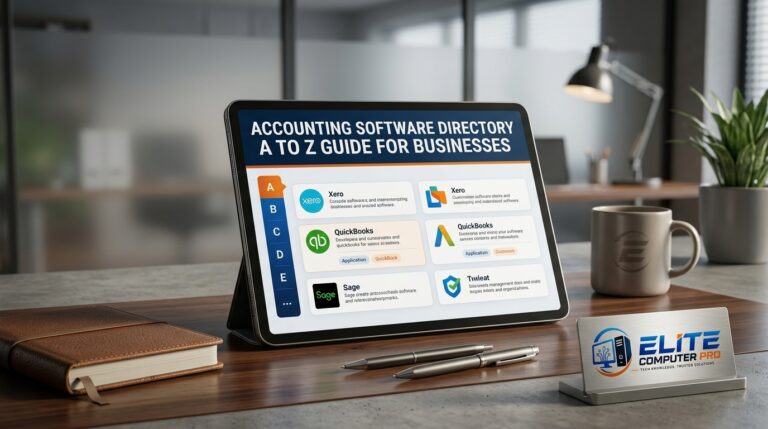
This complete Accounting Software Directory complete guide will help you understand popular accounting platforms, their features, benefits, pricing styles, and how to select the best one for your business needs.
Table of Contents
What Is Accounting Software?
Accounting software is a digital tool that helps businesses manage financial activities. It automates bookkeeping tasks and reduces manual work. These tools can help with:
- Expense tracking
- Invoice generation
- Tax calculations
- Payroll management
- Financial reports
- Inventory tracking
- Bank reconciliation
- Profit and loss monitoring
Instead of using spreadsheets or paper records, businesses use accounting software to save time and avoid errors.
Why Businesses Use Accounting Software
Companies use accounting software because it simplifies daily financial tasks / operations.
Main Benefits of Accounting Software
- Saves time through automation
- Reduces calculation mistakes
- Helps prepare taxes
- Creates professional invoices
- Tracks cash flow in real time
- Generates financial reports instantly
- Improves business decision-making
- Stores records securely online
Even small businesses can benefit from affordable cloud accounting solutions.
A to Z Accounting Software Directory
Below is a detailed A to Z accounting software directory with useful information about each platform.
A — AccountEdge
AccountEdge is desktop based accounting software designed mainly for small businesses.
Key Features
- Payroll management
- Sales tracking
- Inventory management
- Time billing
- Financial reporting
Best For
- Small retail businesses
- Offline accounting users
B — Busy Accounting Software
Busy is widely used in Asian markets, especially by wholesalers and traders.
Features
- GST billing
- Inventory control
- Barcode support
- Multi user access
Best For
- Retail stores
- Trading businesses
C — ClearBooks
ClearBooks is a cloud based accounting solution made for small companies.
Benefits
- Online invoicing
- Tax filing support
- Expense management
- Financial dashboards
Ideal Users
- Freelancers
- Agencies
- Startups
D — Deskera Books
Deskera combines accounting, CRM, and HR tools in one platform.
Features
- Inventory tracking
- Payroll
- Tax management
- Real time reports
Best For
- Medium sized businesses
E — Express Accounts
Express Accounts is lightweight accounting software developed for small organizations.
Main Features
- Income tracking
- Purchase records
- Bank statements
- Reporting tools
Suitable For
- Home businesses
- Beginners
>>>> Read Also <<<<
Windows PowerShell Tutorial Guide for Beginners and Experts
Windows 11 Tutorial for Beginners and Advanced Users
F — FreshBooks
FreshBooks is popular among freelancers and service providers.
Why People Like FreshBooks
- Easy invoice creation
- Time tracking
- Expense monitoring
- Client payment reminders
Best For
- Freelancers
- Consultants
- Designers
G — GnuCash
GnuCash is a free open source accounting application.
Features
- Double-entry accounting
- Budget management
- Expense tracking
- Financial reports
Advantages
- Completely free
- Community supported
Best For
- Students
- Small businesses with low budgets
H — HostBooks
HostBooks offers cloud accounting and tax management features.
Highlights
- GST filing
- Billing
- Expense management
- Banking integration
Ideal For
- Small and medium enterprises
I — Intacct
Sage Intacct is advanced cloud accounting software.
Features
- AI-powered automation
- Revenue recognition
- Multi entity management
- Advanced reporting
Best For
- Large organizations
- Enterprises
J — JavaLedger
JavaLedger is designed for accounting and inventory operations.
Features
- Billing
- Inventory management
- Tax calculations
Suitable For
- Small retail operations
K — Kashoo
Kashoo focuses on simple bookkeeping.
Main Features
- Invoice management
- Expense tracking
- Bank sync
- Automated categorization
Best For
- Freelancers
- Solo entrepreneurs
L — LessAccounting
LessAccounting is designed to simplify accounting for non accountants.
Benefits
- Easy dashboard
- Expense management
- Contact management
- Financial reports
Best Users
- Small business owners
M — Marg ERP
Marg ERP is widely used in pharmacies and distribution businesses.
Features
- Billing software
- Inventory control
- GST support
- Barcode scanning
Best For
- Medical stores
- Wholesale businesses
N — NetSuite
NetSuite by Oracle is one of the most powerful ERP and accounting systems.
Key Features
- Enterprise accounting
- CRM integration
- Inventory management
- Business analytics
Best For
- Large enterprises
- Fast-growing companies
O — Odoo Accounting
Odoo offers accounting as part of its business management suite.
Features
- Automated invoicing
- Bank synchronization
- Expense management
- Inventory integration
Best For
- Growing businesses needing multiple tools
P — Patriot Software
Patriot Software provides accounting and payroll solutions.
Features
- Payroll processing
- Tax management
- Invoice tracking
- Expense monitoring
Suitable For
- Small US businesses
Q — QuickBooks
QuickBooks is one of the most trusted accounting software platforms worldwide.
Features
- Online accounting
- Invoice generation
- Payroll
- Inventory management
- Mobile app support
Why Businesses Prefer QuickBooks
- Beginner-friendly interface
- Strong reporting tools
- Large support community
Best For
- Small to medium businesses
R — Reckon
Reckon offers accounting and payroll solutions for businesses.
Features
- Payroll management
- GST tracking
- Reporting tools
Best For
- Small companies
S — Sage Accounting
Sage provides cloud accounting solutions for businesses of all sizes.
Features
- Cash flow management
- Invoicing
- Payroll
- Financial forecasting
Best For
- Startups
- Enterprises
T — TallyPrime
TallyPrime is highly popular for inventory and accounting management.
Features
- GST support
- Inventory tracking
- Payroll
- Banking support
Why Businesses Use TallyPrime
- Easy accounting workflow
- Fast reporting
- Strong inventory tools
Best For
- Retail shops
- Medium businesses
U — Unit4 Accounting
Unit4 focuses on enterprise financial management.
Features
- Financial planning
- Automation
- Analytics
- Cloud accounting
Best For
- Large organizations
V — VT Software
VT Software offers bookkeeping and accounting solutions.
Features
- Tax support
- Reporting tools
- Spreadsheet integration
Best For
- Accountants
- Bookkeepers
W — Wave Accounting
Wave is a free accounting software platform.
Features
- Free invoicing
- Receipt scanning
- Expense tracking
- Financial reports
Best For
- Freelancers
- Small startups
X — Xero
Xero is a cloud accounting platform with strong automation features.
Features
- Real time bank syncing
- Invoicing
- Payroll
- Multi currency support
Advantages
- User friendly interface
- Third party app integrations
Best For
- Online businesses
- Growing startups
Y — Yendo Accounting
Yendo provides business financial management tools.
Features
- Expense tracking
- Reports
- Financial monitoring
Best For
- Small businesses
Z — Zoho Books
Zoho Books is part of the Zoho business ecosystem.
Features
- Automated workflows
- Online invoicing
- Expense tracking
- Inventory management
Best For
- Small businesses
- Digital agencies
Cloud Accounting vs Desktop Accounting
Choosing between cloud and desktop accounting software is important.
Cloud Accounting Software
Cloud accounting works online through browsers or mobile apps.
Benefits
- Access from anywhere
- Automatic backups
- Real time collaboration
- Easy updates
Examples
- Xero
- QuickBooks Online
- Zoho Books
Desktop Accounting Software
Desktop accounting is installed directly on computers.
Benefits
- Works offline
- One time purchase options
- Better local control
Examples
- TallyPrime
- AccountEdge
How to Choose the Right Accounting Software
Not every business needs advanced enterprise tools. Selecting the right software depends on your goals and budget.
Step 1: Identify Your Business Needs
Ask yourself:
- Do you need payroll?
- Will you manage inventory?
- Do you need tax filing?
- Is mobile access important?
Step 2: Set Your Budget
Some accounting tools are free, while enterprise software can cost thousands of dollars annually.
Budget Examples
- Free tools: Wave, GnuCash
- Affordable tools: FreshBooks, Zoho Books
- Enterprise tools: NetSuite, Sage Intacct
Step 3: Check Ease of Use
A complicated dashboard can waste time.
Choose software with:
- Simple navigation
- Clear reports
- Easy invoice creation
Step 4: Look for Integrations
Good accounting tools connect with:
- Payment gateways
- E-commerce stores
- CRM systems
- Payroll platforms
Step 5: Compare Customer Support
Reliable support is essential when financial issues happen.
Look for:
- Live chat
- Phone support
- Video tutorials
- Knowledge bases
Important Features Every Accounting Software Should Have
Before choosing any software, make sure it includes these important features.
Invoice Management
Professional invoices improve payment collection.
Expense Tracking
Track all business spending automatically.
Financial Reporting
Generate reports like:
- Profit and loss
- Balance sheet
- Cash flow statement
Tax Support
Tax-ready reports save time during filing seasons.
Mobile Access
Mobile apps allow business owners to manage finances anywhere.
Data Security
Choose platforms with:
- Encryption
- Cloud backups
- Two-factor authentication
Practical Example
A small clothing store owner previously managed daily sales using paper notebooks. Calculating monthly profit took several days and inventory mistakes happened often. After switching to TallyPrime, the owner started tracking stock, invoices, and expenses digitally. Monthly reports became available instantly, and product shortages reduced because inventory alerts were automated.
The business owner also saved time during tax filing because all sales records were already organized inside the software.
Common Mistakes When Choosing Accounting Software
Many businesses buy software without proper research.
Avoid these mistakes:
- Choosing overly expensive software
- Ignoring scalability
- Skipping free trials
- Not checking customer support
- Ignoring security features
- Buying software with unnecessary features
Best Accounting Software for Different Users
Best for Freelancers
- FreshBooks
- Wave
- Zoho Books
Best for Small Businesses
- QuickBooks
- Xero
- TallyPrime
Best for Enterprises
- NetSuite
- Sage Intacct
- Unit4
Best Free Accounting Software
- Wave
- GnuCash
Accounting Software Trends in 2026
Accounting technology continues to evolve quickly.
AI Automation
Latest software uses AI for:
- Expense categorization
- Invoice reminders
- Fraud detection
Mobile Accounting
Businesses now manage accounts directly from smartphones.
Real Time Reporting
Live dashboards help owners make faster decisions.
Cloud Security Improvements
Advanced encryption and secure backups are becoming standard features.
Tips to Use Accounting Software Effectively
Keep Records Updated
Enter transactions regularly.
Backup Your Data
Even cloud systems should have backup exports.
Train Your Staff
Proper software usage reduces mistakes.
Review Reports Monthly
Monthly reports help identify financial issues early.
Use Automation Features
Automated invoices and reminders save time.
Frequently Asked Questions (FAQs)
What is the best accounting software for small businesses?
QuickBooks, Xero, and Zoho Books are among the best accounting software solutions for small businesses because they offer invoicing, reporting, and automation features.
Is free accounting software reliable?
Yes, free accounting software like Wave and GnuCash can work well for freelancers and small businesses with basic accounting needs.
Which accounting software is easiest for beginners?
FreshBooks and Zoho Books are beginner-friendly because they offer simple dashboards and easy invoice management.
What is cloud accounting software?
Cloud accounting software stores financial data online, allowing users to access accounts from any device with internet access.
Can accounting software help with taxes?
Yes, many accounting platforms automatically calculate taxes, generate reports, and help prepare financial records for tax filing.
Is accounting software secure?
Most trusted accounting software platforms use encryption, secure cloud storage, and multi-factor authentication to protect financial data.
Which accounting software supports inventory management?
TallyPrime, QuickBooks, NetSuite, and Odoo provide inventory management features.
Do freelancers need accounting software?
Yes, freelancers can use accounting software to track payments, expenses, invoices, and taxes more efficiently.
Final Overview on Accounting Software Directory
Choosing the right accounting software can improve business efficiency, save time, and reduce financial errors. From free tools for freelancers to advanced enterprise solutions, there is an accounting platform for every type of business.
The best approach is to compare features carefully, test free trials, and focus on your actual business needs instead of choosing software based only on popularity.
Related: